Plan faster, teach with confidence and reflect on every lesson.
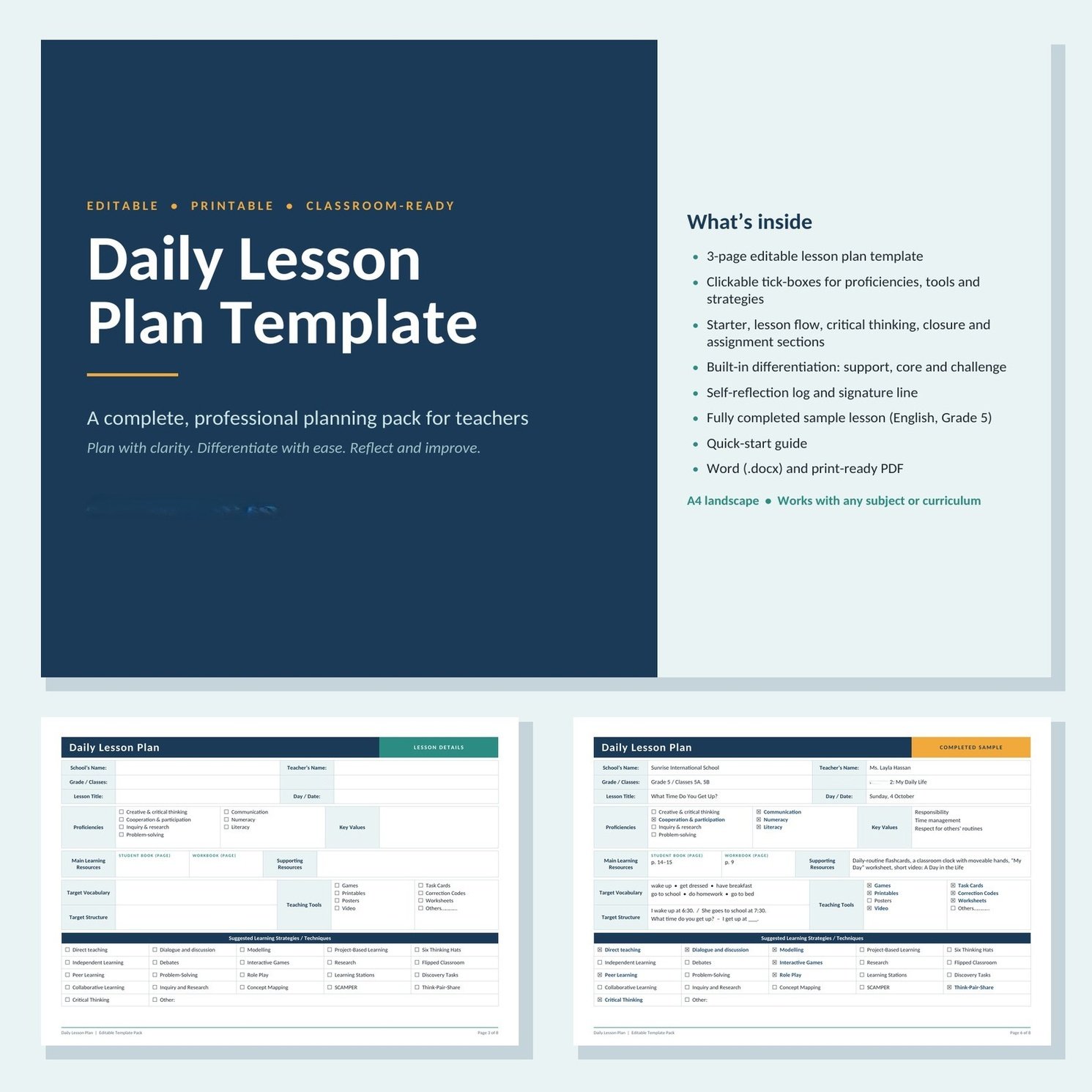
This Daily Lesson Plan Template Pack gives you a clean, professional planner you can fill in on screen or print. It works for any subject, any grade and any term, and every table is fully editable so you can match your school’s requirements.
WHAT’S INCLUDED
📄 3-page editable lesson plan template (A4 landscape)
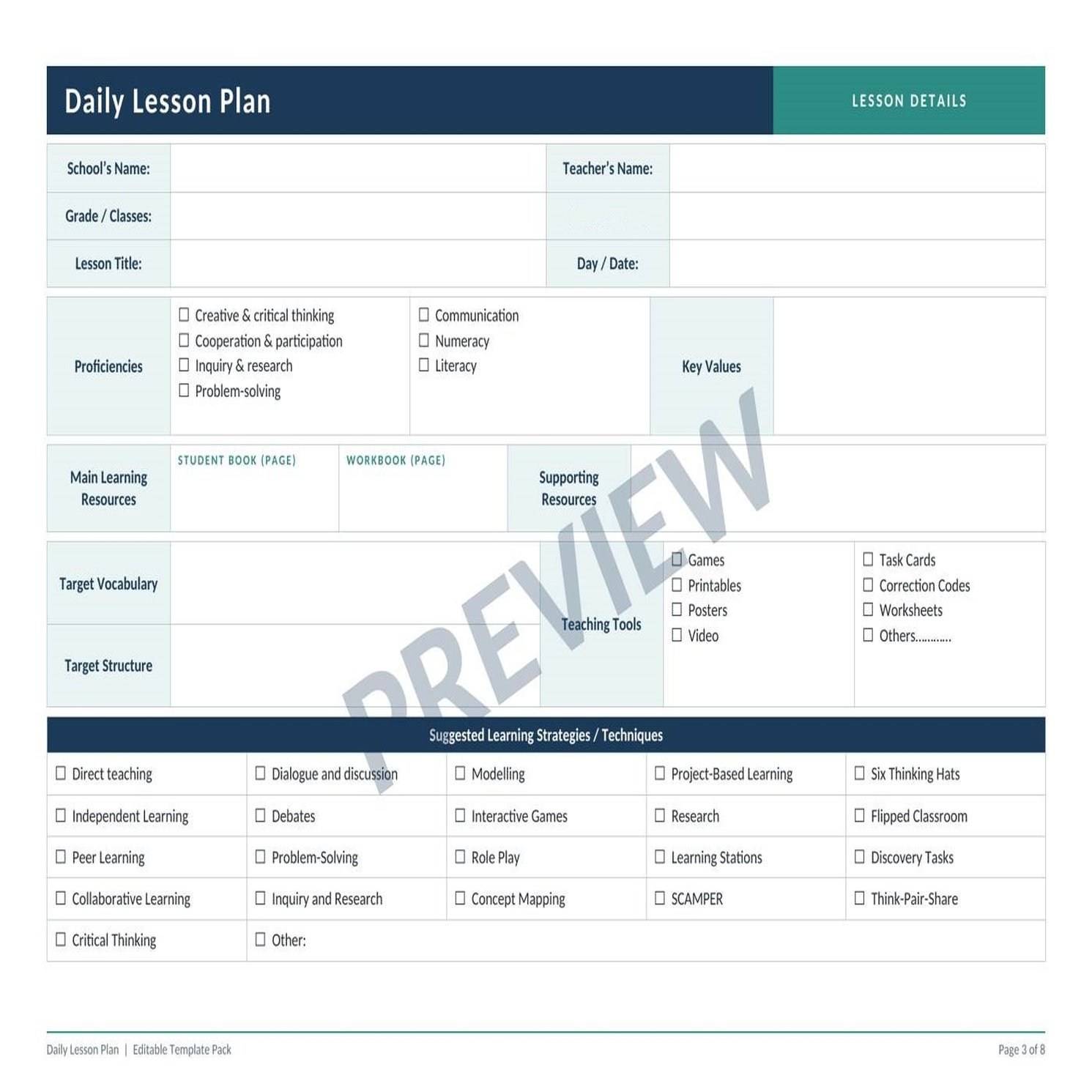
Page 1: Lesson details
- School, teacher, grade/class, module and lesson title, and date
- Proficiencies and key values
- Student book and workbook pages, plus supporting resources
- Target vocabulary and target structure
- Teaching tools (games, task cards, printables, posters, worksheets, video and more)
- learning strategies to tick, including Think-Pair-Share, Role Play, Modelling, Concept Mapping, SCAMPER, Six Thinking Hats and Flipped Classroom
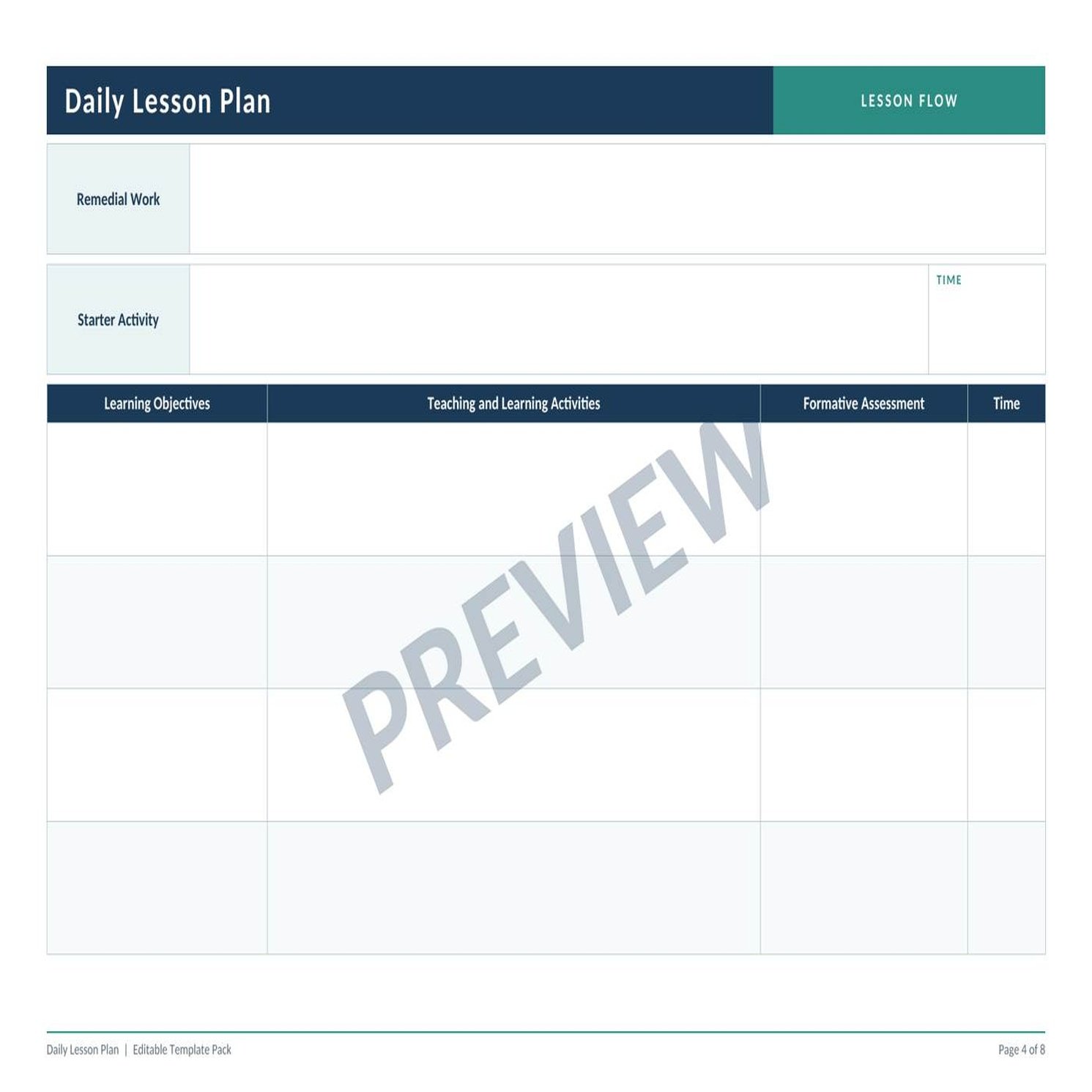
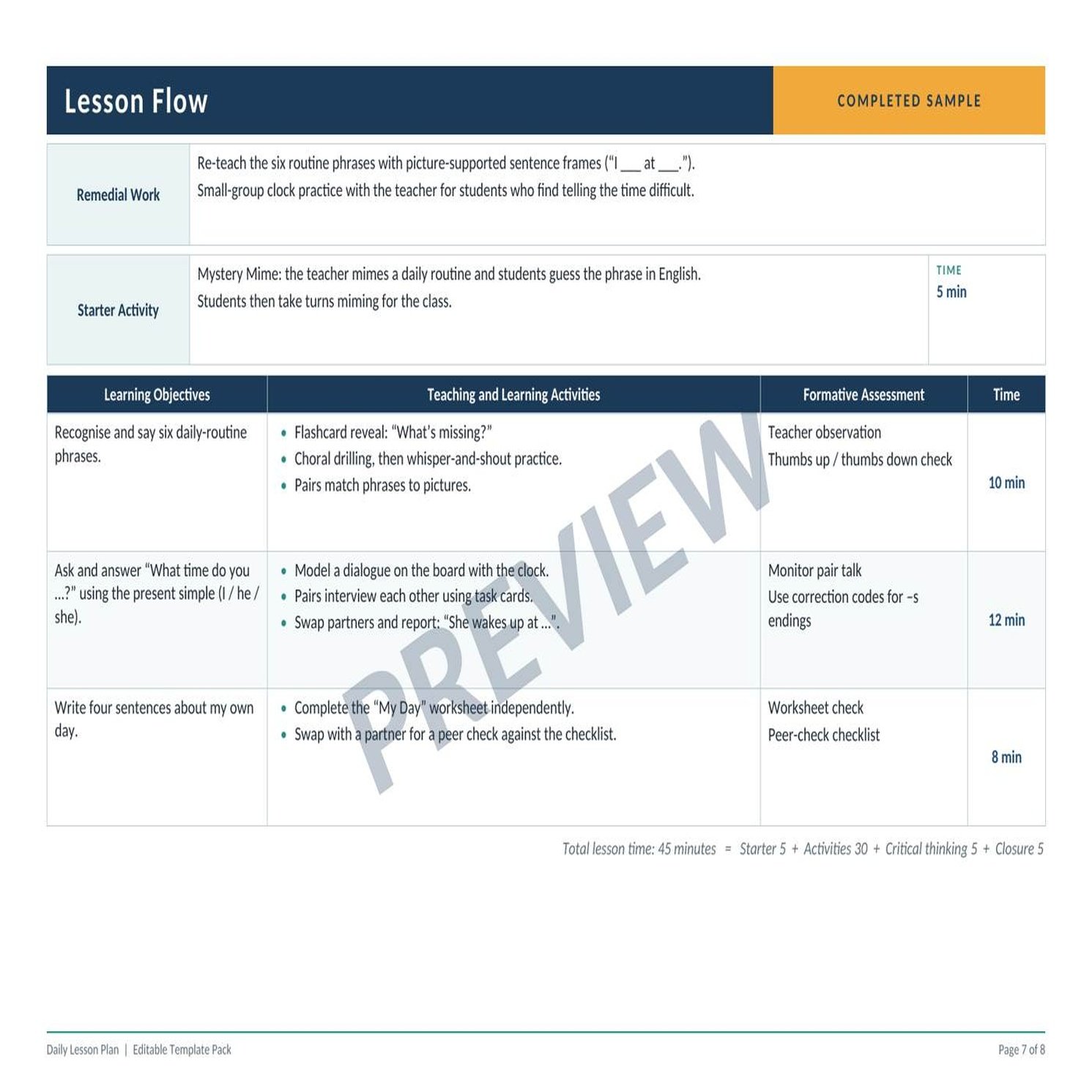
Page 2: Lesson flow
- Remedial work
- Starter activity with timing
- A timed lesson table: learning objectives, teaching and learning activities, formative assessment and time
Page 3: Reflection and follow-up
- Critical thinking activity
- Differentiation in three levels: Support, Core and Challenge
- Closure activity
- Assignment
- Self-reflection log for each class and date, plus a signature line
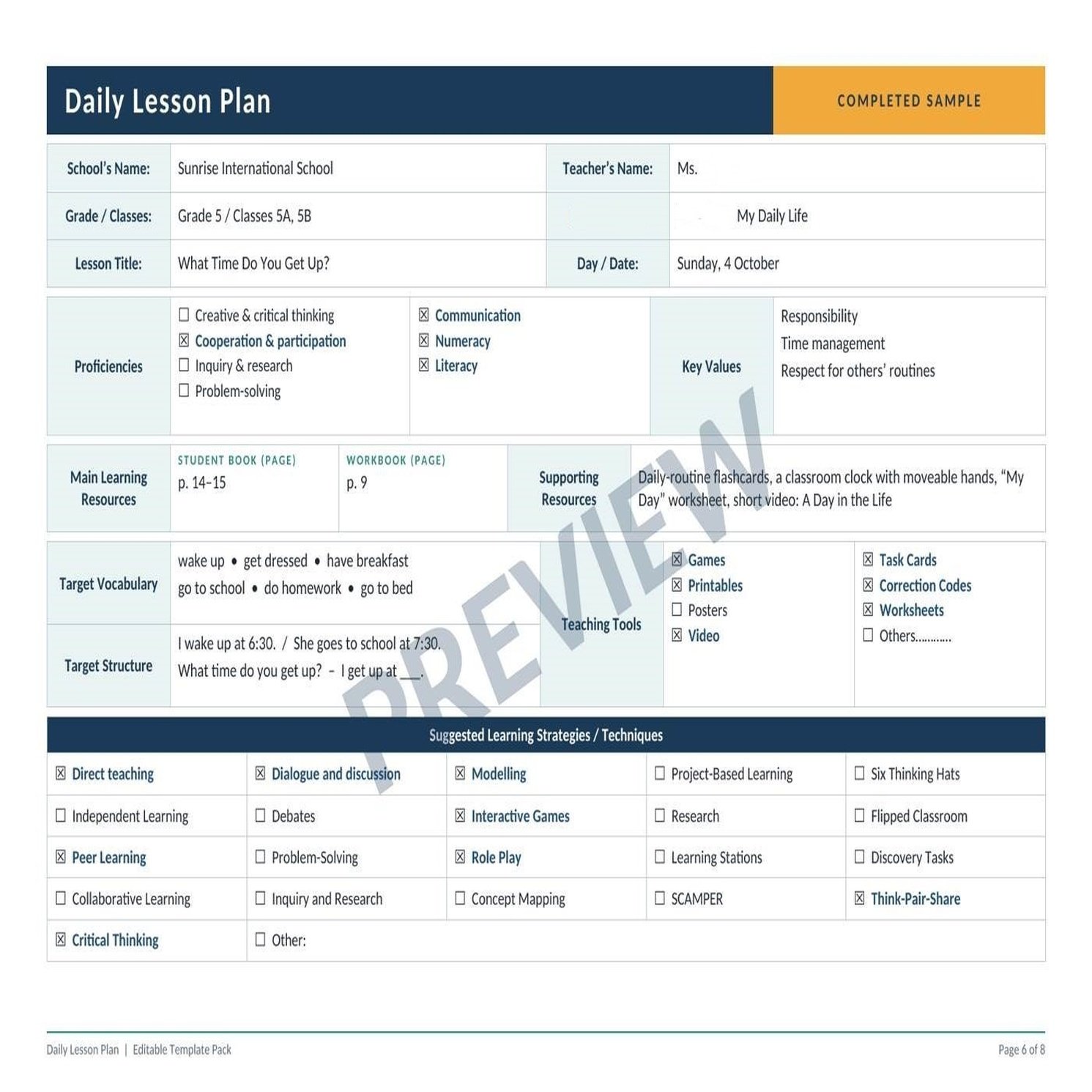
Completed sample lesson (3 pages). See exactly how to fill in every section with a Grade 5 English lesson, “What Time Do You Get Up?”
Quick-start guide with planning tips and customisation ideas
Two formats in one download:
- Editable Word (.docx): type directly into the boxes
- Print-ready PDF: print and write by hand
WHY TEACHERS WILL LOVE IT
- Clickable tick-boxes in Microsoft Word, so you tick instead of typing
- Clear, colour-coded sections that are easy to scan
- Differentiation and critical thinking are built in
- Save a copy for each lesson and reuse the template all year
- Prints well in colour or black and white
WHO IS IT FOR?
Primary and secondary teachers, ESL/EFL teachers, student teachers, tutors and homeschooling parents.
HOW TO USE
- Download the Word file and open it in Microsoft Word, Google Docs or LibreOffice.
- Fill in each section, using the completed sample as your guide.
- Save a copy for each lesson, or print the PDF for a handwritten planner.
PLEASE NOTE
- Page size is A4 landscape. For printing, choose “actual size” or 100%.
- Tick-boxes are clickable in Microsoft Word. In other apps, simply type an X beside your choices.
- The sample lesson uses a fictional school and teacher.
- This is a general planning template and is not tied to any specific curriculum. Rename any labels (for example SB/WB) to match your textbooks.
- Licensed for the purchasing teacher’s own classroom use only. Please do not share, resell or redistribute.
Created by [The English Bridge]. Happy planning!