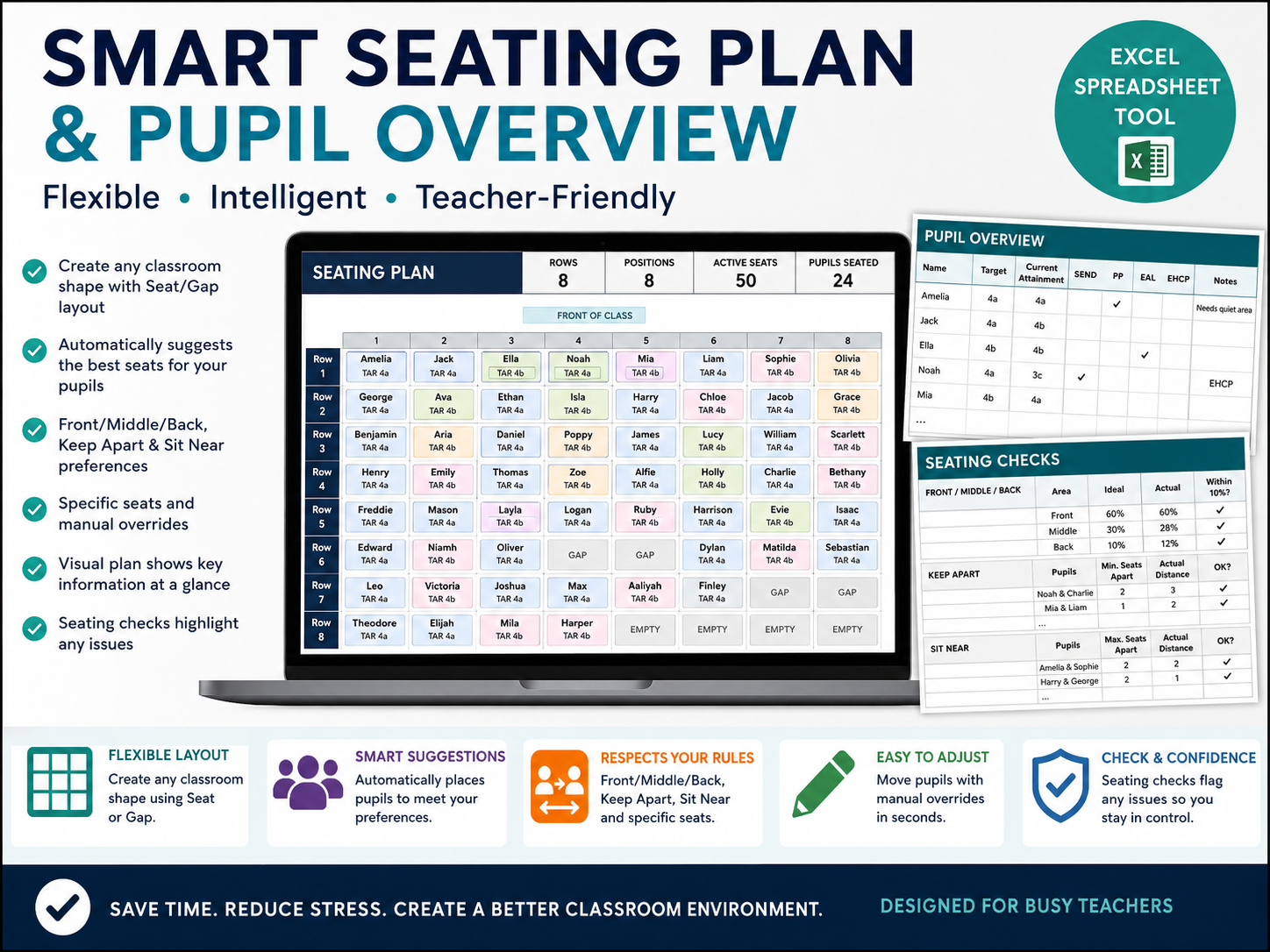
Create flexible, data-informed classroom seating plans in Excel with the Smart Seating Plan & Pupil Overview.
Designed for teachers who want more than a basic random seating generator, this fully editable toolkit lets you create a classroom layout that matches your room, add useful pupil information and build seating plans around real classroom needs.
Create flexible classroom layouts of different shapes and sizes
Use Seat and Gap positions to represent aisles, missing desks and unusual room layouts
Generate alternative seating arrangements quickly
Add Target and Current Attainment
Display SEND, Pupil Premium, EAL and EHCP indicators
Add your own custom pupil flag
Set Front, Middle or Back seating preferences
Identify pupils who should be kept apart
Identify pupils who should sit near one another
Allocate specific seats where required
Manually override individual seats without rebuilding the whole plan
Choose which pupil information appears on the visual seating plan
Use Seating Checks to identify preferences or rules that may need reviewing
The seating plan can be adapted for different classrooms rather than relying on one fixed desk layout.
Blank Smart Seating Plan & Pupil Overview – ready for your own class
Example version – with fictional pupil data showing how the toolkit works
Quick Start Guide (PDF)
Full User Guide (PDF)
No macros, AI tools, subscriptions or external accounts are required. Everything runs locally in Microsoft Excel.
Ideal for secondary teachers, tutors and other classroom practitioners looking for a practical way to combine seating arrangements with useful pupil information.
Please note: automatic seating suggestions are designed to support teacher decision-making. Always review the Seating Checks and apply your own professional judgement before using a generated plan.
You must log in and be a buyer of this download to submit a review.